
Search by meaning
Find relevant content with natural language, even when your question uses different words from the source.
SEMANTIC SEARCH · IMAGE SEARCH · PRECISE FILTERS
Explore what your documents say and what your images show, then narrow in on the information that matters. Eforge brings semantic discovery, image search, source-grounded answers, and precise field searches into the same workspace.
The reports describe a monitoring program supported by site observations and sampling records.
Explore the supporting materialINSIDE THE WORKSPACE
Find relevant content with natural language, even when your question uses different words from the source.
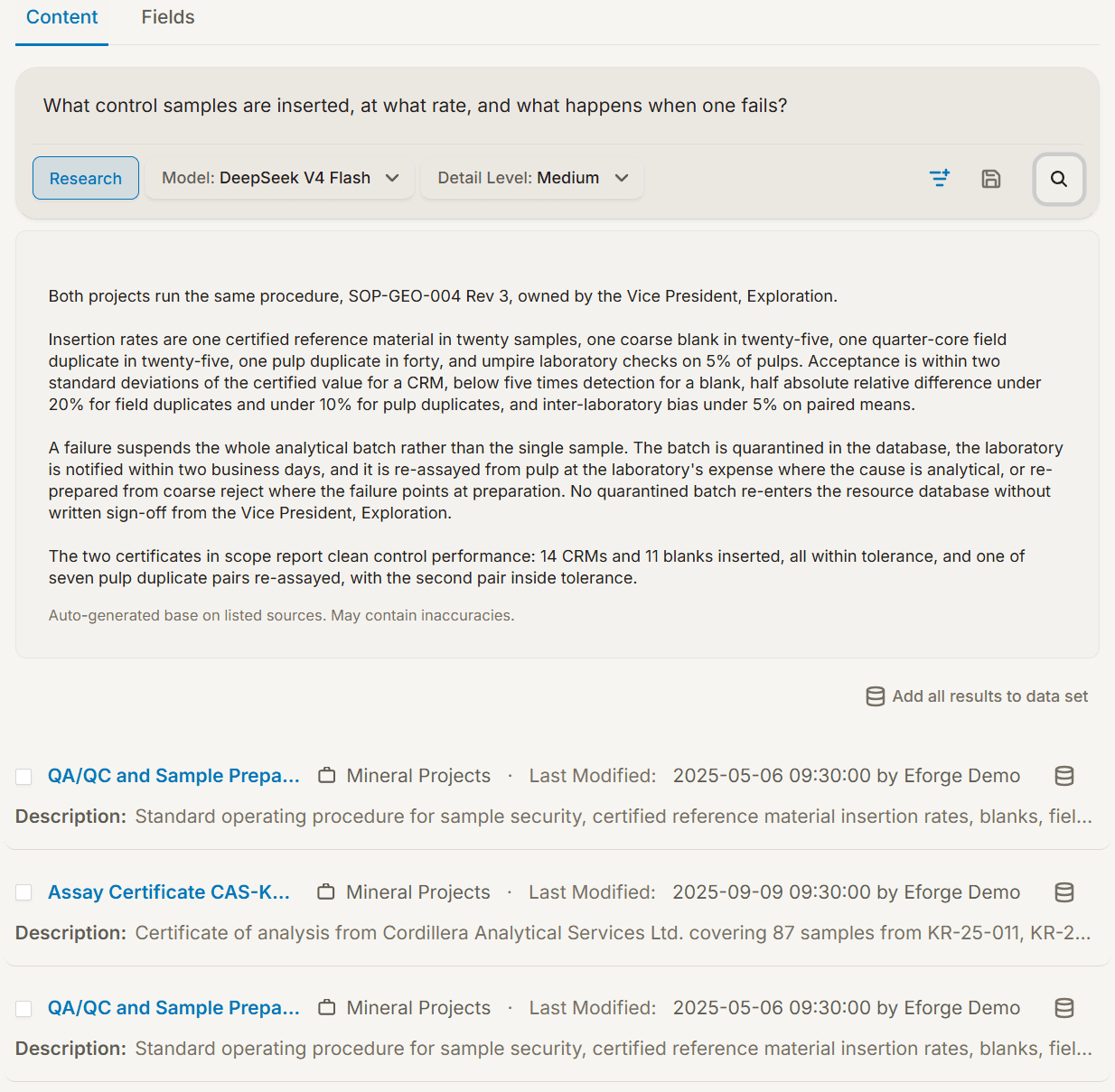
Use retrieval-augmented generation (RAG) to bring retrieved content into an answer. Review the supporting material alongside the response.
Switch to field-based search when you need a particular status, date, number, or combination of record attributes.
DISCOVERY WITH CONTEXT
Choose the information you want to explore across vaults and datasets. Search for a concept, examine relevant results, and use RAG to develop an answer from that context.
DISCOVER THROUGH IMAGES
Search images across your selected vaults and datasets using a description, or start from an image you have found and explore visually similar results. Refine the search with words to bring the details you care about into focus.
A SEARCH WORTH KEEPING
Useful discovery rarely happens just once. Save searches you want to revisit and organize relevant items into datasets for a project, topic, or line of research.
PUT IT IN CONTEXT
Find reports about a monitoring program by meaning. Use field conditions to locate the matching project records. Read the documents and inspect the data as complementary views of the same subject.
RAG helps ground an answer in retrieved information. It does not remove the need to check the source or review AI output.
MAKE ROOM FOR DEEPER UNDERSTANDING