
Design the record
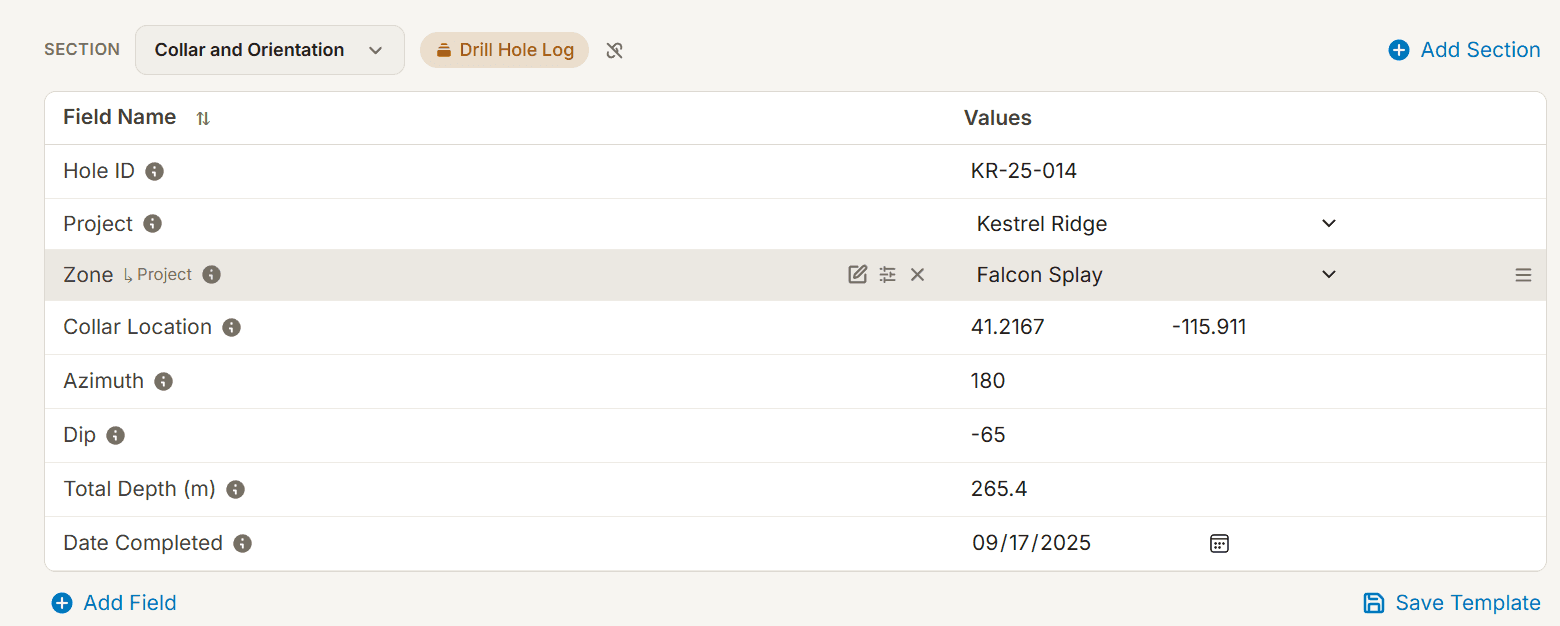
Use templates to arrange fields into consistent sections. Define the information each type of record should hold.
FIELD OBJECTS · TEMPLATES · DATA EXPLORATION
Model the things your work revolves around: projects, assets, clients, samples, or research observations. Create records with typed fields, reusable templates, and links to the documents that give them context.
| Project | Region | Status |
|---|---|---|
| North basin | North | Active |
| River study | North | Active |
INSIDE THE WORKSPACE
Use templates to arrange fields into consistent sections. Define the information each type of record should hold.
Use field-specific conditions for text, numbers, dates, choices, and more. Search records by their values, not only their descriptions.
Bring selected fields into a data grid, explore relationships, and map geographic information where your records contain it.
STRUCTURE THAT MATCHES YOUR WORK
Eforge’s field objects are structured records. A template organizes the fields; each record holds its own values. Shared field definitions let the same concept remain searchable across the records that use it.
BEYOND DATA ENTRY
Find the records that meet your conditions, organize them into datasets, and explore their fields in a grid. Link the report, image, or document that explains an otherwise isolated value.
PUT IT IN CONTEXT
Use one template for asset records. Filter by region and status, compare numeric fields in a grid, and follow each asset’s links to its inspection reports and supporting documents.
“Field object” is Eforge’s name for a structured record with typed fields. Start with the record you need to manage; the terminology can come later.
MAKE ROOM FOR DEEPER UNDERSTANDING